Monitoring per-device traffic on FritzBox
A common complain from FritzBox customers is that you cannot monitor traffic on a per-device basis, as FritzBox only shows a combined view of downstream and upstream traffic. If you are after per-device traffic, you typically have to configure your FritzBox to capture traffic (in PCAP format) and then use something like NTOP to visualize it.
Fritz!OS 7.90 (beta) finally changes that, as it brings "New graphic Online Monitor informs about the utilization of the internet connection and on the utilization by individual network devices".
As it is still in beta, you need to download the beta version and upgrade manually following the procedure described here . Simply select the correct version for your FritzBox and make sure to unzip the file once downloaded.
Once installed and rebooted, you will see the new UI under Internet->Online monitoring.
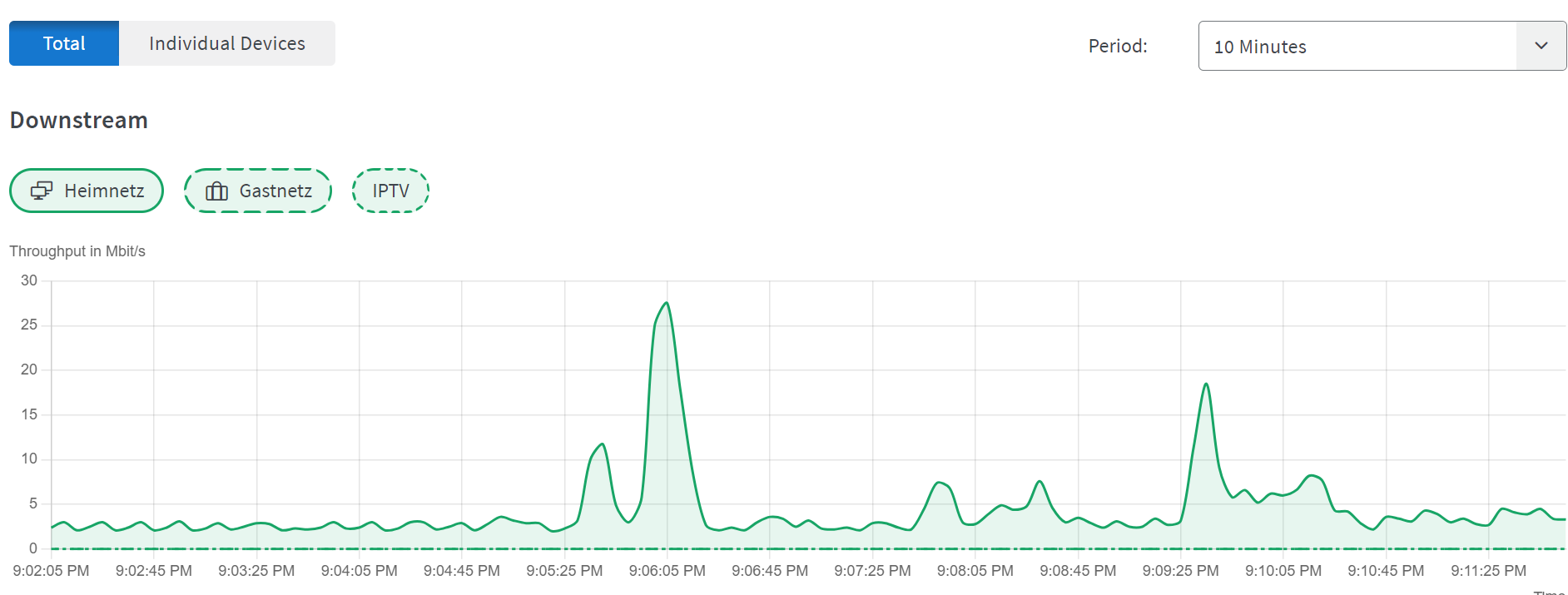
The Individual Devices view will be empty, as you first need to explicitly select the devices for which you'll track the traffic.
Pick the device(s) of interest from Home Network -> Network and edit the properties to include "Save internet data rates for this device" as shown below.

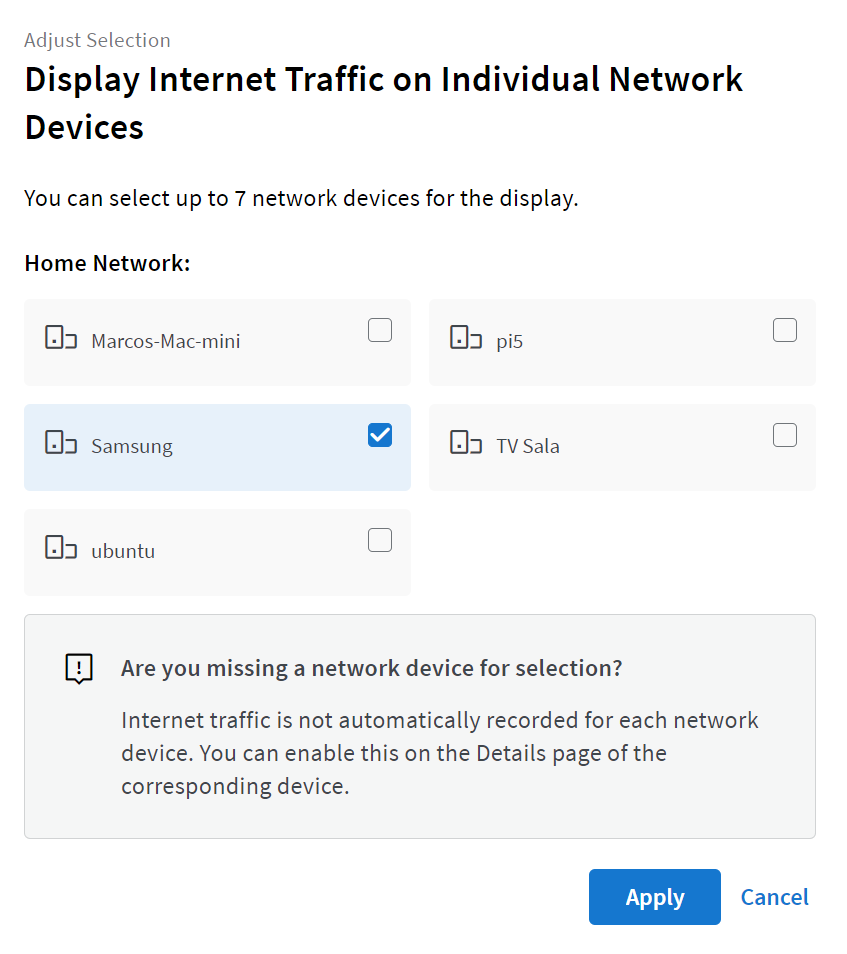
You can now return to the Online Monitor and click on Individual Devices tab. The Adjust Selection button allows you to chose the device(s) you wish to monitor. In this example, we are going to select a Samsung device but remember that you can select multiple devices.
You should now be able to finally see per-device downstream and upstream traffic, without the need to install additional software.
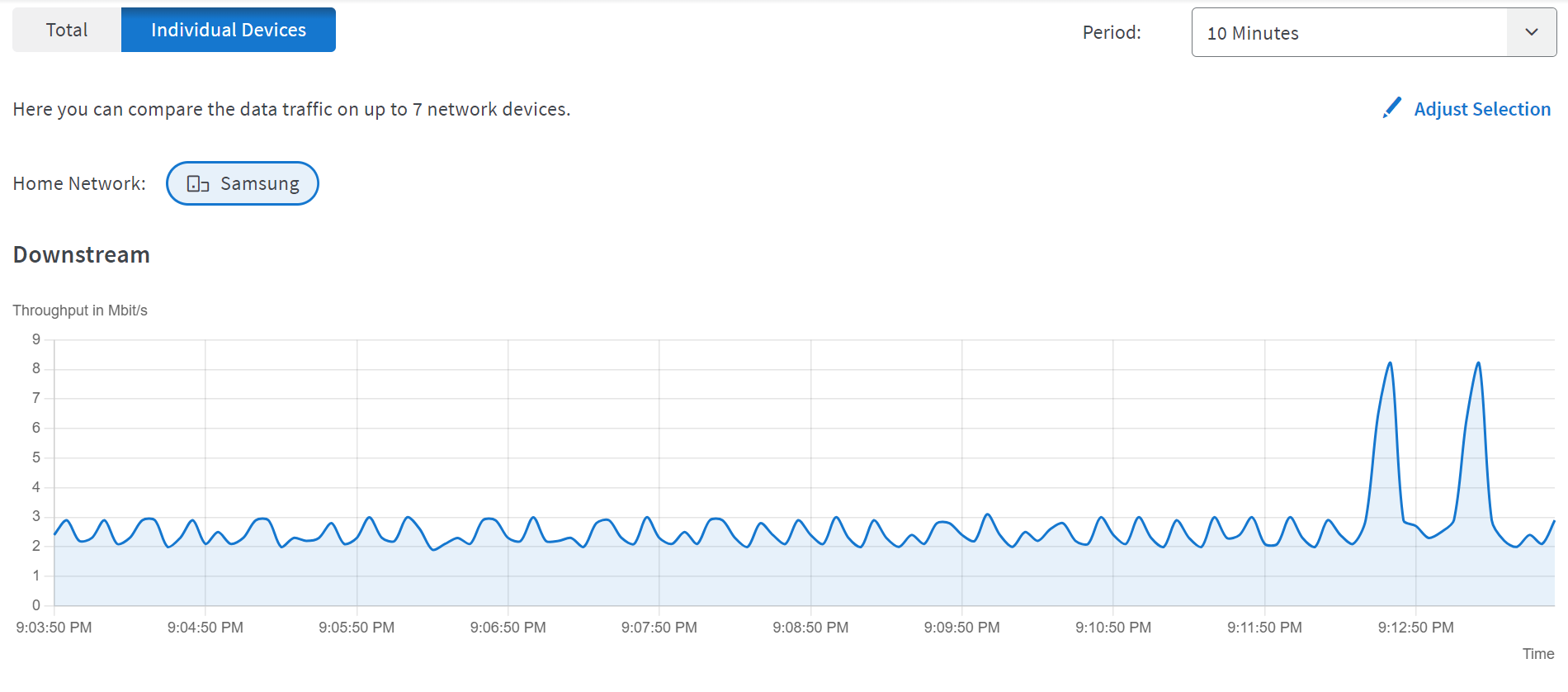
The view is fairly simple, but still useful when you need to inspect bandwidth usage on a per-device basis.